
Posted by
Blog
Hall Effect vs Mechanical Keyboards: What Actually Matters for Gaming?

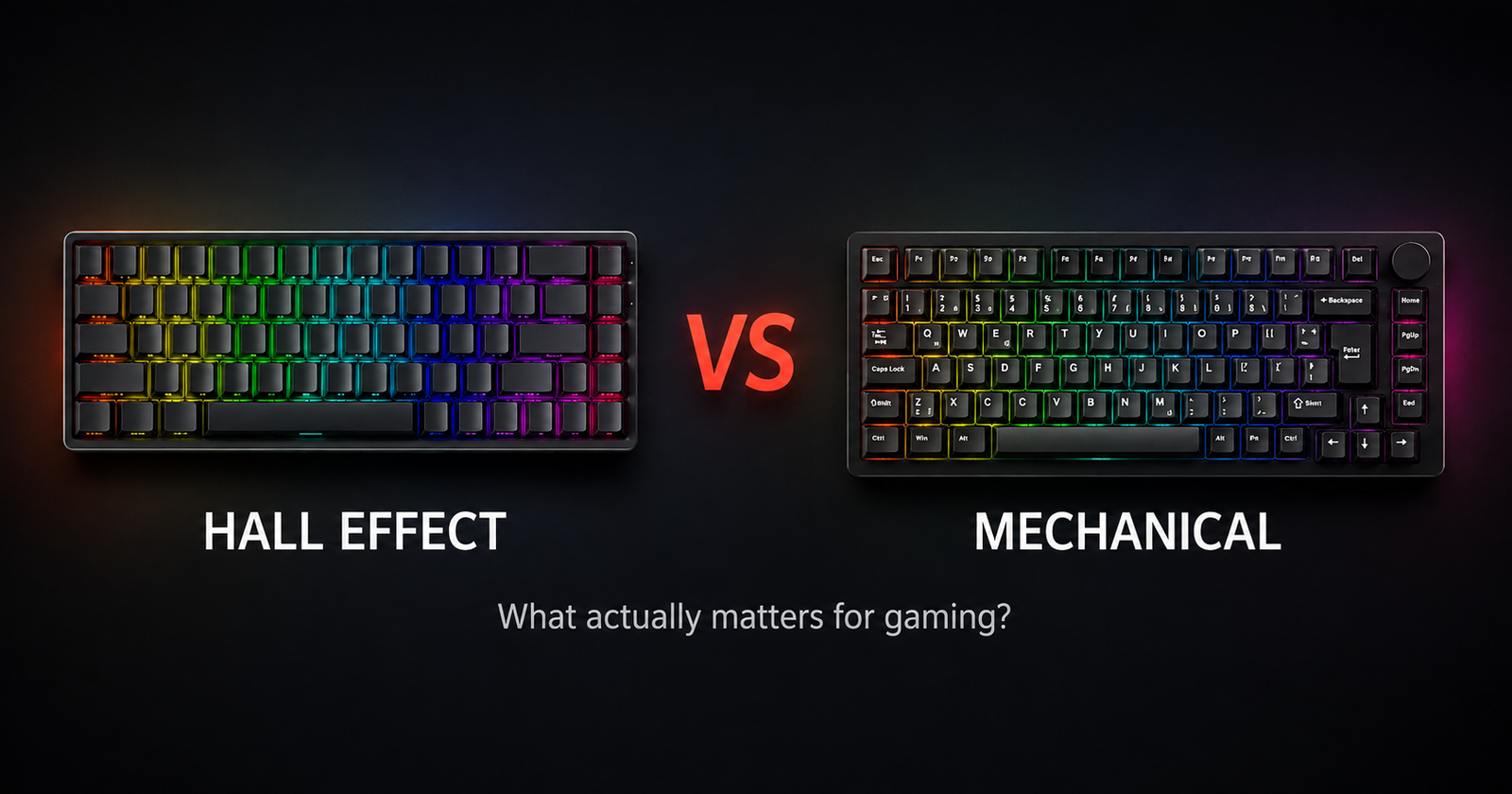
Hall Effect vs mechanical keyboard is one of the biggest comparisons in gaming keyboards today, especially for competitive players looking for faster and more customisable inputs.
A few milliseconds, a cleaner counter-strafe, or a key resetting exactly when you want it to can make a difference in competitive gaming.
Mechanical keyboards have been the standard for years, but Hall Effect keyboards introduce adjustable actuation, Rapid Trigger and a different approach to input detection.
So, is Hall Effect actually better for gaming? And where does newer technology such as TMR fit in?
Let’s break down what actually matters.
ㅤ
What is a mechanical keyboard?
A traditional mechanical keyboard uses an individual physical switch underneath each key.
When the switch reaches its actuation point, the keyboard registers the input. Different switch designs can provide very different experiences, from smooth linear switches to tactile or clicky feedback.
One of the biggest strengths of mechanical keyboards is their flexibility. Depending on the model, you can change switches, keycaps and other components to customise the keyboard’s sound, feel and appearance.
For gaming, a good mechanical keyboard is still more than fast enough for the vast majority of players. Mechanical keyboards also remain a strong option for users who want a balance between gaming, typing and customisation.
ㅤ
What is a Hall Effect keyboard?
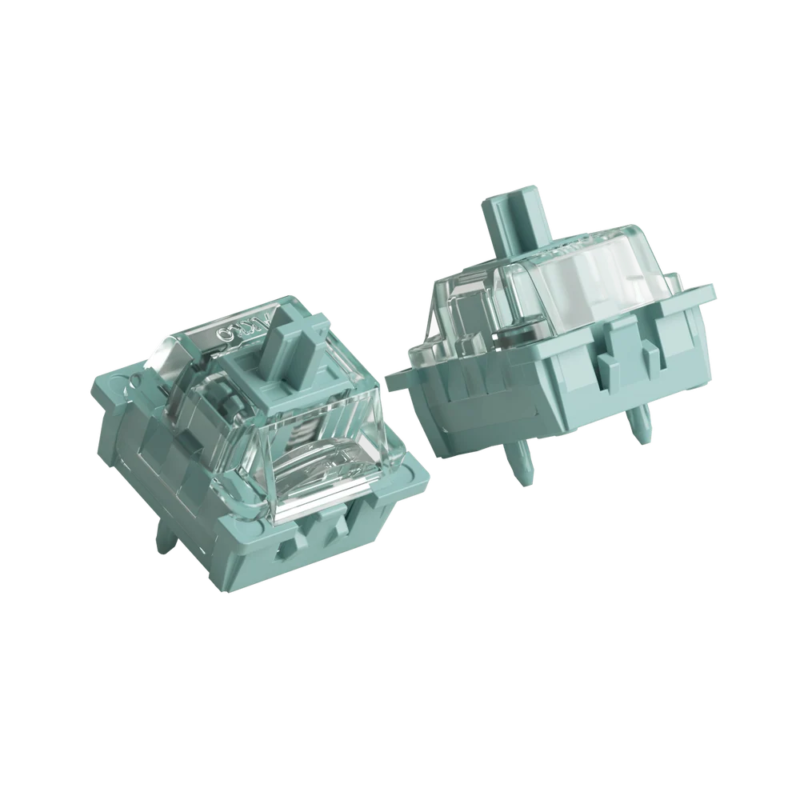
A Hall Effect keyboard uses magnetic sensing to detect key movement instead of relying on the traditional electrical contact used in mechanical switches.
Because the keyboard can measure how far a key is pressed, it can offer features that are not normally available on standard mechanical keyboards, such as adjustable actuation and Rapid Trigger.
This means players can configure how sensitive individual keys are and how quickly they reset after being released. For competitive gaming, especially FPS titles, that extra control can make movement feel more immediate and responsive.
Hall Effect keyboards are therefore less about simply being “faster” and more about giving the player greater control over how each input behaves.
ㅤ
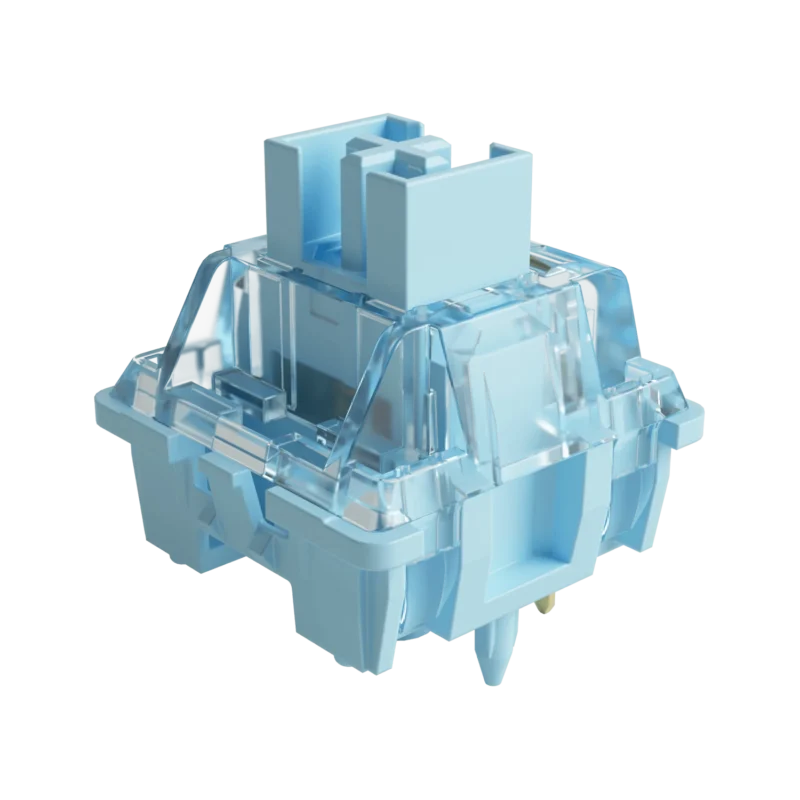
What is Rapid Trigger?
Rapid Trigger is one of the main reasons Hall Effect keyboards have become so popular in competitive gaming.
On a traditional mechanical keyboard, a key usually has a fixed actuation point and a fixed reset point. Rapid Trigger changes this by allowing the key to reset as soon as it starts moving back up, instead of waiting for it to reach a predefined position.
This can make repeated inputs and direction changes feel faster and more responsive, which is especially useful in games such as Valorant, Counter-Strike 2 and other competitive FPS titles.
In practice, Rapid Trigger is most noticeable in situations where movement precision matters, such as counter-strafing or quickly changing direction.
ㅤ
Adjustable actuation: why does it matter?
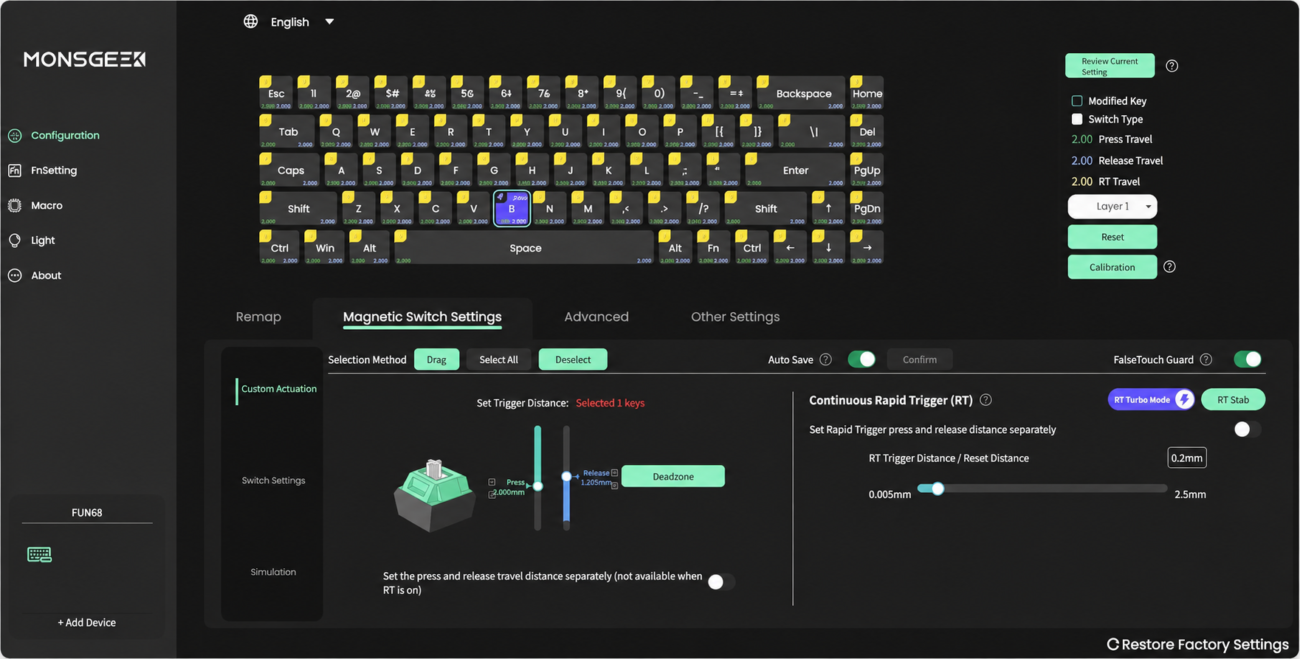
Adjustable actuation lets you choose how far a key needs to travel before the input is registered.
On a Hall Effect keyboard, this can often be configured per key, which gives players much more control over how the keyboard reacts.
For example, you might want WASD to activate with a very light press for faster movement, while keeping other keys slightly deeper to avoid accidental inputs.
This is especially useful in competitive games, where small differences in movement and timing can matter more than they would during everyday typing.
On models such as the Akko MonsGeek FUN68 HE, adjustable actuation works together with Rapid Trigger to create a much more responsive and personalised gaming experience.
ㅤ
Hall Effect vs Mechanical: key differences
Hall Effect and mechanical keyboards can both be excellent for gaming, but they prioritise different things. Hall Effect focuses more on input control and responsiveness, while mechanical keyboards offer broader switch choice and customisation.
| Feature | Hall Effect | Mechanical |
|---|---|---|
| Actuation | Adjustable | Usually fixed |
| Rapid Trigger | Yes | Usually no |
| Switch variety | More limited | Very wide |
| Competitive FPS | Excellent | Very good |
| Typing feel | Depends on tuning | Excellent |
| Customisation | Growing | Very broad |
| Best for | Competitive input control | Versatility and custom builds |
The biggest difference is therefore not simply speed. Hall Effect gives you more control over when a key activates and resets, while mechanical keyboards continue to offer more choice in terms of feel, sound and switch customisation.
ㅤ
Does 8K polling rate actually matter?
Polling rate tells you how often the keyboard sends input data to your computer.
A standard gaming keyboard commonly runs at 1000Hz, which means it reports input up to 1,000 times per second. Some newer gaming keyboards increase this to 8000Hz, reducing the maximum reporting interval from around 1ms to 0.125ms.
On paper, that is a big difference. In practice, however, the impact is much smaller than the jump from a basic office keyboard to a responsive gaming keyboard.
For most players, features such as Rapid Trigger and adjustable actuation will make a more noticeable difference than simply moving from 1K to 8K polling.
That said, 8K polling still makes sense on a keyboard designed around minimum input delay, especially when combined with Hall Effect switches and fast scan rates.
Several Akko and MonsGeek models, including the FUN60, FUN68, TAC75 and M1 V5 HE, are available with 8K polling implementations aimed at competitive gaming.
ㅤ
What is TMR, and how is it different from Hall Effect?
TMR, or Tunnel Magnetoresistance, is another magnetic sensing technology used in modern gaming keyboards.
Like Hall Effect, TMR can detect key movement through changes in a magnetic field, which allows features such as adjustable actuation and Rapid Trigger.
The main difference is the sensing method itself. TMR sensors can offer very high sensitivity and low power consumption, while still enabling precise tracking of key travel.
Depending on the implementation, TMR keyboards can also offer more flexibility in switch compatibility. Some models are designed to work with both magnetic and traditional mechanical switches, which makes them particularly interesting for users who want magnetic gaming features without completely giving up the mechanical switch ecosystem.
In practice, TMR should not be seen as simply “better Hall Effect”. It is a different approach to magnetic sensing, and the real advantage depends on how well the keyboard is implemented.
The Akko MonsGeek FUN60 Ultra TMR is a good example of this approach, combining magnetic gaming features with a more flexible switch platform.
ㅤ
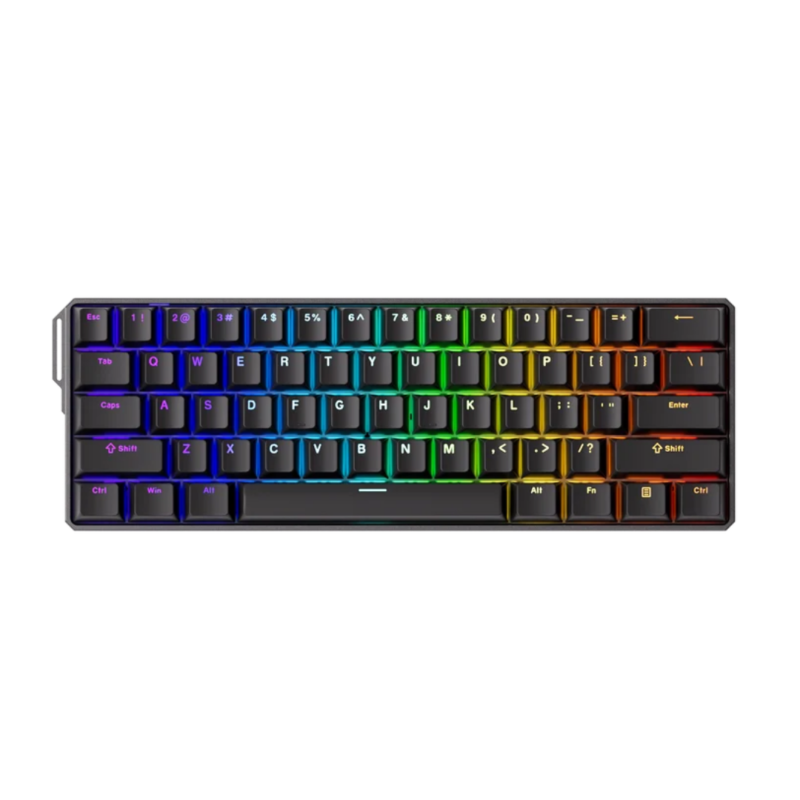
Choosing the right keyboard format
Switch technology is only part of the decision. The keyboard format also affects desk space, mouse movement and everyday usability.
A smaller layout can be ideal for competitive gaming, while larger formats usually offer more dedicated keys and can be more convenient for work or general use.
60%: FUN60
A 60% keyboard removes the function row, navigation cluster and numpad to keep the footprint as small as possible.
This gives you more space for large mouse movements, which can be useful for low-sensitivity FPS players. The trade-off is that some functions require key combinations.
65%: FUN68
A 65% layout keeps the compact footprint of a 60% keyboard while adding dedicated arrow keys and a few extra navigation keys.
It is a good middle ground for players who want more functionality without giving up too much desk space.
75%: TAC75 / M1 V5
A 75% keyboard adds the function row while remaining noticeably more compact than a traditional full-size board.
This format works particularly well for users who want a balance between gaming and productivity.
Larger formats: M2 / M3
Larger layouts can offer more dedicated keys while still keeping a relatively compact footprint.
The MonsGeek M3 V5 HE uses a TKL 87-key layout, keeping the function row and navigation cluster while removing the numpad to preserve more mouse space.
The MonsGeek M2 V5 HE moves to a 98-key 1800 Compact layout, adding a numpad while remaining smaller than a traditional full-size keyboard.
These formats can make more sense for players who also use their keyboard for work, productivity or everyday tasks.
ㅤ
When does a mechanical keyboard still make more sense?
Hall Effect and TMR keyboards are increasingly popular for competitive gaming, but mechanical keyboards still have several important advantages.
The biggest one is switch variety. Mechanical keyboards give you access to a huge ecosystem of linear, tactile, clicky and silent switches, each with a different feel, weight and sound profile.
They also remain a strong choice if you care about typing feel, acoustics and customisation. On a hot-swappable board, you can change switches without soldering, experiment with different keycaps and tune the keyboard around your own preferences.
That said, the gap is getting smaller. Magnetic keyboards are increasingly offering more switch options, improved acoustics and more refined construction, moving beyond the purely competitive “esports keyboard” category.
For example, current MonsGeek magnetic models support different compatible N-pole magnetic switches from multiple brands, while keyboards such as the M2 V5 HE use a gasket-mounted structure with multiple damping layers to improve acoustics. The Akko AstroAim magnetic switches are also specifically tuned for a deeper, lower-pitched sound profile compared with other magnetic options.
This means Hall Effect and TMR keyboards are becoming increasingly viable for users who want one keyboard for gaming, work and everyday typing, while still keeping features such as Rapid Trigger and adjustable actuation.
Mechanical keyboards still offer the broader customisation ecosystem today, but magnetic keyboards are quickly catching up and becoming a strong all-round option rather than something designed only for competitive gaming.
ㅤ
Which keyboard should you choose?
The best choice depends less on which technology is newest and more on what you actually need from your keyboard.
Choose Hall Effect if…
You mainly play competitive games and want features such as Rapid Trigger, adjustable actuation and very fast input response.
Hall Effect makes the most sense for FPS players who care about movement precision and want more control over how each key activates and resets.
Models such as the FUN60 HE, FUN68 HE, TAC75 HE and M1 V5 HE are good examples of this type of setup.
Choose Mechanical if…
You care more about switch variety, typing feel, acoustics and customisation.
Mechanical keyboards are still an excellent option for gaming, especially if you want one keyboard that works equally well for gaming, work and everyday use.
Consider TMR if…
You want magnetic gaming features but also like the idea of a more flexible switch platform.
TMR can be particularly interesting for users who want features such as Rapid Trigger and adjustable actuation without being limited to a purely Hall Effect implementation.
The Akko MonsGeek FUN60 Ultra TMR is a good example of this approach.
In short, Hall Effect is the strongest choice for competitive input control, mechanical remains the most flexible option for feel and customisation, and TMR offers an interesting middle ground for users who want magnetic performance with extra flexibility.
ㅤ
Final verdict: Hall Effect vs Mechanical
Hall Effect keyboards offer a real advantage for competitive gaming through features such as Rapid Trigger and adjustable actuation, especially in games where movement precision and fast direction changes matter.
Mechanical keyboards, however, are far from obsolete. They remain a strong choice for players who value switch variety, typing feel, sound and customisation, while still delivering excellent gaming performance.
TMR adds another option to the mix, combining magnetic sensing with a different approach to switch detection and, depending on the implementation, greater flexibility.
So, there is no single winner for everyone. The best keyboard depends on how you play, what you use your keyboard for outside gaming and which features actually make a difference to you.
ㅤ
FAQ
Are Hall Effect keyboards better for gaming?
They can be, especially for competitive FPS games. Features such as Rapid Trigger and adjustable actuation give players more control over how quickly keys activate and reset.
Is Rapid Trigger useful for FPS games?
Yes. Rapid Trigger can make direction changes and repeated inputs feel more responsive, particularly in games where movement precision matters.
Are mechanical keyboards slower than Hall Effect keyboards?
Not necessarily in a meaningful way for most players. Good mechanical gaming keyboards are still highly responsive, but Hall Effect offers more control over actuation and reset behaviour.
What is the difference between Hall Effect and TMR?
Both use magnetic sensing, but they rely on different sensor technologies. TMR can offer high sensitivity and, depending on the keyboard, may also support more flexible switch compatibility.
Is 8K polling necessary for gaming?
No. It can reduce input reporting intervals, but features such as Rapid Trigger and adjustable actuation are usually more noticeable in practice.
Find the right keyboard for your setup
Explore Gamer Unlocked’s range of Akko and MonsGeek Hall Effect and TMR keyboards and choose the layout and technology that best matches the way you play.

Related Posts
Hall Effect vs Mechanical Keyboards: What Actually Matters for Gaming?
Posted by
Hall Effect vs mechanical keyboard is one of the biggest comparisons in gaming keyboards today, especially for competitive players looking for faster and more customisable inputs. A few milliseconds, a…
CONTINUE READING