
Posted by
Blog
Do You Need a DAC for Gaming? When a DAC/AMP Actually Makes a Difference

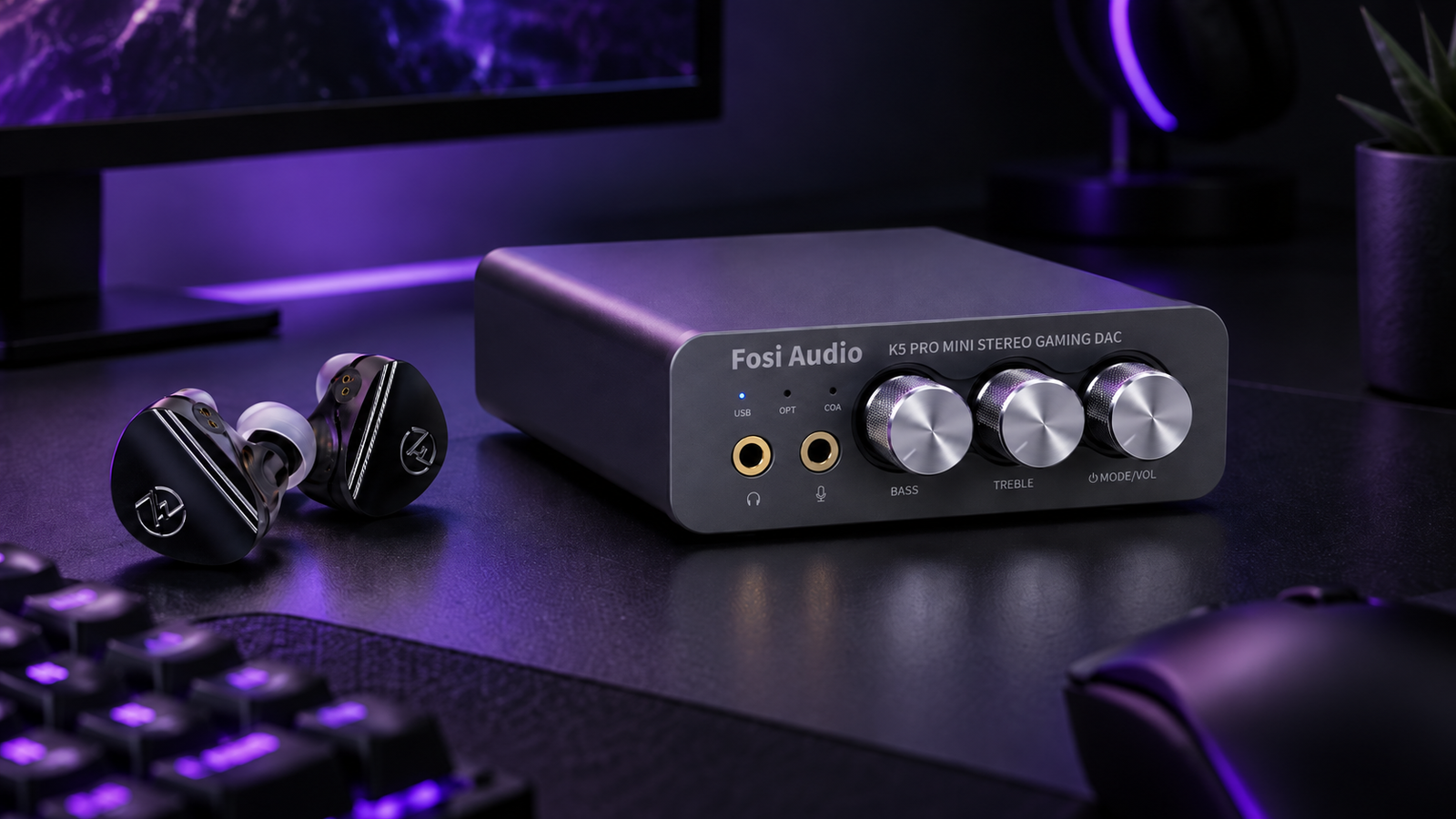
A DAC for gaming can be a useful upgrade, but not every player actually needs one. Gaming audio has changed a lot in recent years, with more players moving beyond traditional gaming headsets and using IEMs, studio headphones and dedicated audio equipment as part of their setup.
That has also made terms like DAC, AMP, balanced output and high-resolution audio much more common.
But does adding a DAC actually make games sound better?
The short answer is: sometimes.
Modern PCs and consoles already include digital-to-analog conversion, so buying an external DAC is not automatically an upgrade. The real question is whether your current audio output is limiting your headphones or IEMs.
In this guide, we explain what a DAC does, when a DAC/AMP can make a meaningful difference for gaming, and when you are better off spending your money elsewhere.
1. What Is a DAC?
DAC stands for Digital-to-Analog Converter.
Audio from a game, Spotify, YouTube or any other digital source is stored and processed as digital information. Headphones and IEMs cannot reproduce that digital data directly. They need an analog electrical signal.
The DAC is the component responsible for converting one into the other.
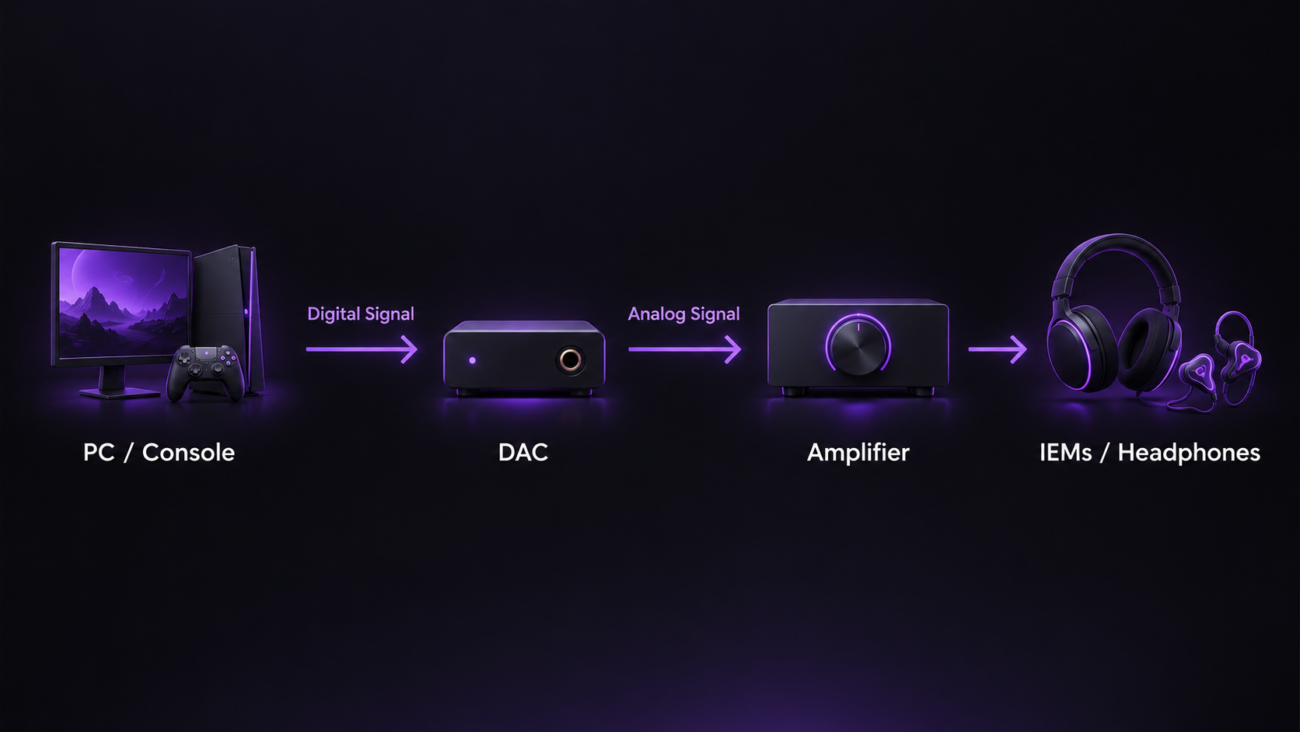
In simplified form:
Digital audio → DAC → analog signal → headphones or IEMs
Every device capable of producing headphone audio already contains some form of DAC. Your motherboard, laptop, smartphone, controller or console all perform this conversion somewhere in the audio chain.
An external DAC simply uses a separate device to handle that process.
Depending on the equipment, this can provide cleaner output, different connectivity options or additional features that are not available from the built-in audio hardware.
2. DAC vs AMP: What Is the Difference?
DACs and amplifiers are often discussed together, but they perform different tasks.
A DAC converts the digital audio signal into an analog signal.
An amplifier increases the strength of that analog signal so that your headphones can be driven properly.
This is why many products are described as a DAC/AMP: both components are integrated into the same device.
For a gaming setup, this is usually the most convenient solution.
You connect the PC or console to one device, and that device handles both signal conversion and headphone amplification.
The distinction is still useful, however, because not every audio problem is caused by the DAC.
If your audio is already clean but your headphones simply do not get loud enough, amplification may be the real limitation.
3. Do You Actually Need a DAC for Gaming?
For many gamers, no.
If your current audio output is clean, reaches a comfortable volume and works properly with your headphones or IEMs, there may be little reason to add another device.
A DAC should solve an actual problem.
A dedicated DAC/AMP becomes more relevant when:
- you hear static, buzzing or background noise;
- your headphones do not reach enough volume;
- your motherboard or device has poor audio output;
- you need additional connections;
- you want physical volume or EQ controls;
- you use several audio sources;
- your current device lacks a headphone output;
- you are moving to more demanding headphones.
If none of these situations applies, changing your headphones or IEMs can often produce a more noticeable improvement than replacing a perfectly functional audio source.
You probably do NOT need a DAC if:
- Your audio is already clean.
- Your headphones get loud enough.
- You hear no hiss or interference.
- You do not need extra inputs or outputs.
4. When Does a DAC/AMP Actually Make a Difference?
There are several situations where an external DAC/AMP can provide a meaningful improvement.
Background Noise and Interference
Some motherboard audio outputs can introduce electrical noise, buzzing or hiss.
This is particularly noticeable with sensitive IEMs.
An external DAC can move the audio conversion away from some of the electrical interference inside the PC and provide a cleaner signal.
Your Headphones Need More Power
Some headphones are more difficult to drive than typical gaming headsets.
If you need to keep the volume close to maximum or your headphones still sound weak, an amplifier with more output power may help.
You Need More Connectivity
This is one of the most practical reasons to use a DAC/AMP.
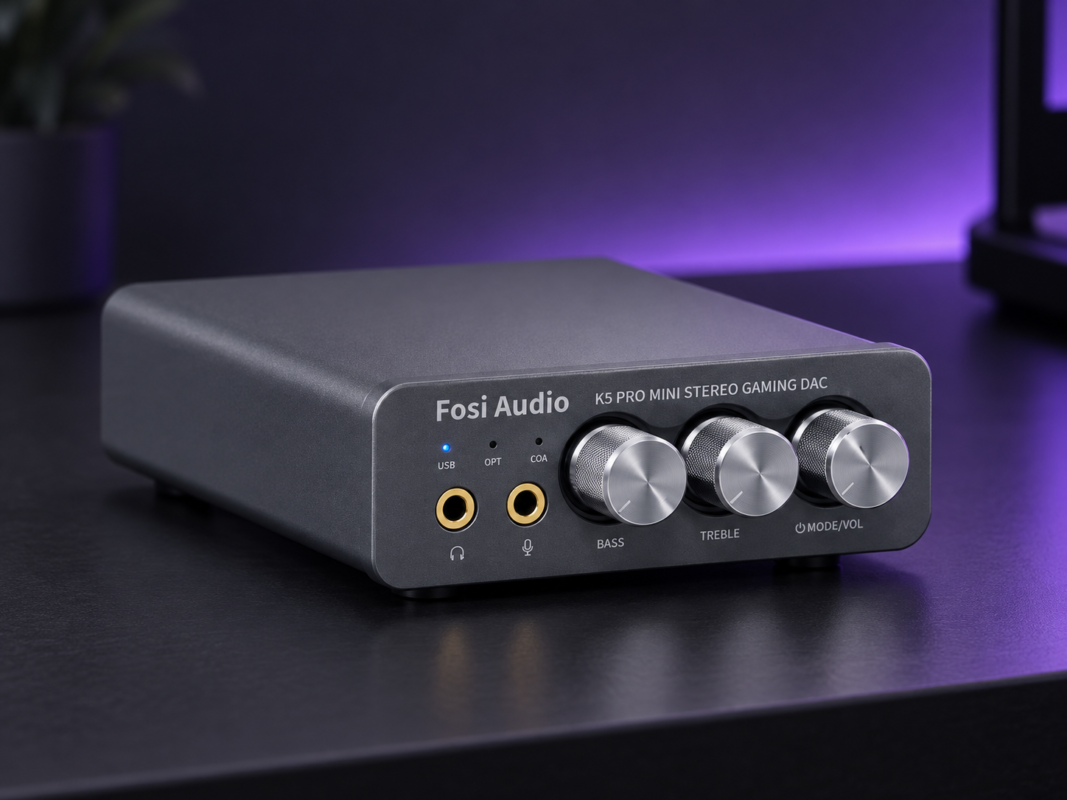
For example, the Fosi Audio K5 Pro offers USB, optical and coaxial digital inputs, along with headphone and microphone connectivity, allowing it to work as a central desktop audio device for PC, PS5, Mac or Nintendo Switch.
It also includes physical controls for bass, treble and volume.
5. Can a DAC Help You Hear Footsteps Better?
This is one of the most common misconceptions around gaming audio.
A DAC does not automatically make footsteps louder or improve positional accuracy.
Your ability to identify footsteps and directional cues depends much more on:
- the headphones or IEMs;
- their tuning;
- imaging;
- separation;
- the audio engine of the game;
- the game mix itself.
A DAC cannot create positional information that does not already exist.
However, it can help if the current audio source is the weak point.
If an output has audible noise, insufficient power or distortion, replacing it with a cleaner and more capable DAC/AMP can make subtle details easier to hear.
Some products also include additional processing specifically aimed at gaming.
For example, the Fosi Audio DS3 includes gaming-oriented features such as 7.1 spatial audio and an FPS mode, while remaining a compact USB-C DAC/AMP.
The important distinction is that these features affect how the audio is processed or presented. The DAC itself does not magically create better game awareness.
6. Do IEMs Need a DAC?
Most IEMs are relatively easy to drive.
That means they usually do not require a powerful desktop amplifier simply to reach normal listening levels.
In fact, with sensitive IEMs, low background noise can be more important than very high output power.
For many IEM users, a small USB-C DAC can therefore make more sense than a large desktop DAC/AMP.
A compact dongle can provide:
- a clean 3.5 mm output;
- compatibility with devices without a headphone jack;
- microphone support;
- improved portability;
- a simple way to use the same IEMs across several devices.
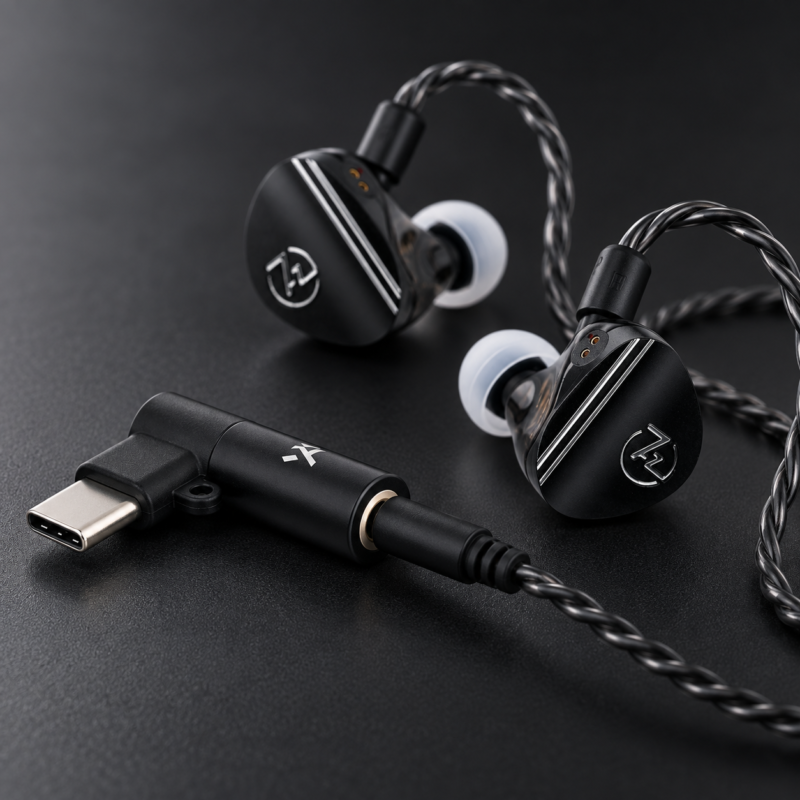
The Truthear Keyx, for example, is a small USB-C DAC/AMP with a 3.5 mm TRRS output, meaning compatible IEM cables can retain microphone functionality for Discord, voice chat or calls.
This type of device is often enough for users who want a simple, portable solution rather than a permanent desktop audio setup.
7. When Is Onboard Audio Already Enough?
External audio hardware is not always necessary.
Modern motherboards and laptops can already provide perfectly adequate audio for many users.
Your onboard audio is probably enough if:
- there is no audible hiss or interference;
- volume is more than sufficient;
- the sound remains clean at normal listening levels;
- your headphones are easy to drive;
- you do not need additional connectivity or features.
In this situation, spending more money on a DAC may produce a relatively small improvement.
For competitive gaming, changing from an unsuitable headset to a better-performing pair of headphones or IEMs can often have a much larger impact.
The order of priorities should generally be:
Headphones / IEMs first → source second
A DAC becomes relevant once the source is actually limiting the rest of the setup.
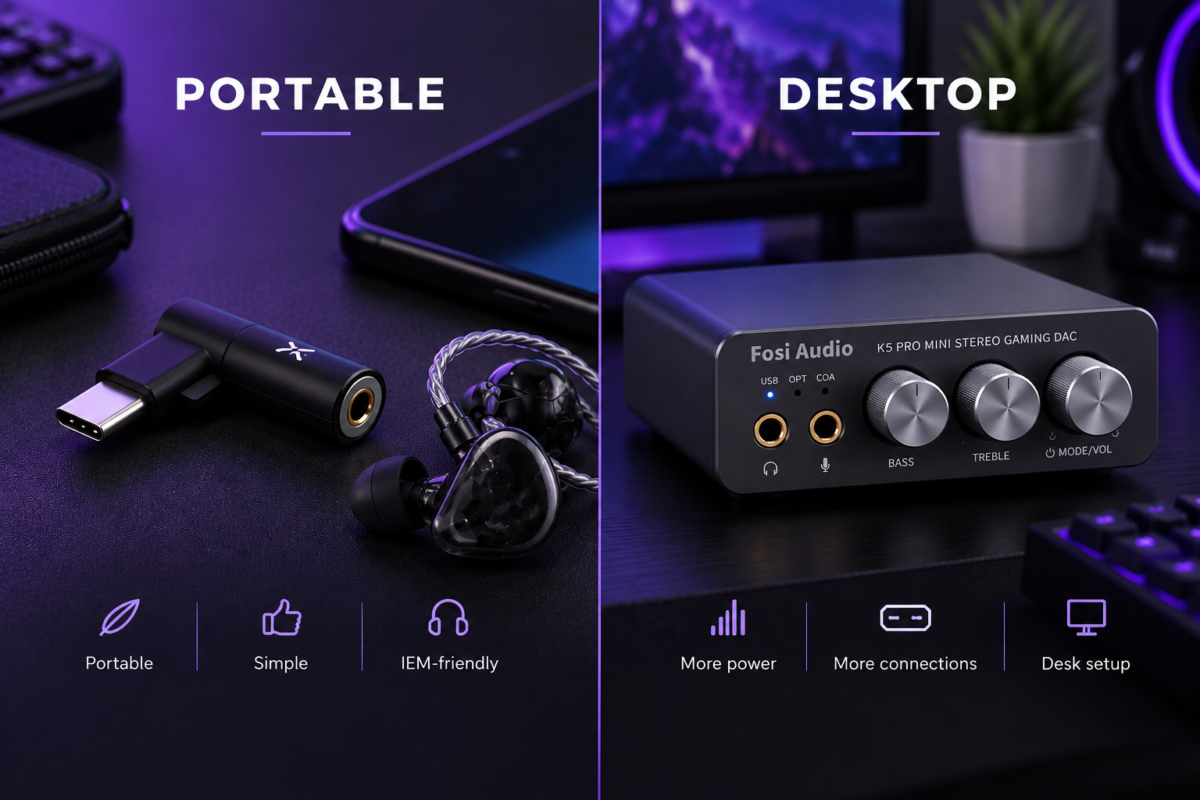
8. Portable DAC vs Desktop DAC/AMP
Once you decide that an external DAC makes sense, the next step is choosing the right format.
Portable DAC
A portable DAC is normally:
- small;
- USB-powered;
- easy to carry;
- designed primarily for IEMs and portable headphones;
- simple to connect to laptops or phones.
Examples include the Truthear Keyx and Fosi Audio DS3.
A portable DAC makes the most sense when you want better connectivity or cleaner audio without adding a permanent device to your desk.
Desktop DAC/AMP
A desktop DAC/AMP is more suitable when you want:
- more output power;
- multiple inputs;
- physical controls;
- a permanent gaming setup;
- balanced outputs;
- additional features such as EQ or microphone inputs.
The Fosi Audio K5 Pro is an example of a more accessible desktop gaming DAC/AMP.
For users with more demanding headphones or a setup that combines gaming with dedicated music listening, the Fosi Audio K7 provides significantly more output power, a 4.4 mm balanced headphone output, Bluetooth connectivity and several desktop inputs.
9. What Should You Look for in a Gaming DAC/AMP?
Do not choose a DAC simply because it has the biggest numbers on the specification sheet.
Start with your actual equipment.
Headphone or IEM Requirements
For sensitive IEMs, clean output and low noise are more important than extreme power.
For harder-to-drive headphones, amplification becomes much more relevant.
Connectivity
Think about what you want to connect.
USB may be enough for a PC-only setup.
If you also want to connect a console, TV or other source, optical or coaxial inputs may be useful.
Microphone Support
This is particularly important for gaming.
Not every DAC supports microphone input or microphone passthrough.
If you use an IEM cable or gaming headset with an integrated microphone, check this before choosing a DAC.
Physical Controls
A hardware volume knob is convenient on a desktop setup.
Bass and treble controls can also be useful if you prefer making quick adjustments without opening software.
Balanced Output
A balanced output such as 4.4 mm can provide additional power on compatible equipment.
However, you should not choose a DAC purely because it has a balanced connector.
If your headphones or IEMs are already driven properly from a standard output, balanced audio is not automatically necessary.
10. Which Type of DAC Makes Sense for You?
11. Example DAC/AMP Options for Different Setups
|
|
||||
|
|
12. So, Is a DAC Worth It for Gaming?
A DAC/AMP can improve a gaming setup, but only when it solves an actual limitation.
If your current audio output has noise, insufficient power, poor connectivity or lacks features you need, a dedicated DAC/AMP can be a worthwhile upgrade.
If your onboard audio is already clean and drives your headphones properly, the difference may be much smaller.
For most gamers, the best approach is simple:
Choose the right headphones or IEMs first. Then make sure the device driving them is good enough.
A compact USB-C dongle may be all an IEM user needs.
A desktop DAC/AMP makes more sense when connectivity, physical controls or additional power become important.
And a more powerful device should only be considered when the rest of the setup can actually benefit from it.
The goal is not to add more hardware.
It is to remove the weakest link in your audio setup.
Frequently Asked Questions
Does a DAC improve gaming audio?
A DAC can improve gaming audio when the existing source has noise, distortion, insufficient output or other limitations. If the current audio output is already clean and powerful enough, the difference may be small.
Does a DAC make footsteps easier to hear?
Not automatically. Footstep positioning depends primarily on the headphones or IEMs, their tuning and imaging, and the game’s audio engine. A better DAC can help if the existing source is limiting audio quality.
Do IEMs need a DAC?
Most IEMs do not require a powerful DAC/AMP. However, a small USB-C DAC can provide cleaner output, better compatibility or microphone support.
Is a DAC or AMP more important for gaming?
It depends on the problem. A DAC handles signal conversion, while an amplifier provides power. If headphones are too quiet, amplification may matter more. Most gaming users will find a combined DAC/AMP more convenient.
Is a desktop DAC better than a dongle DAC?
Not necessarily. A desktop DAC generally offers more power and connectivity, while a dongle is smaller and often more than sufficient for IEMs.
Upgrade Your Gaming Audio
Looking to upgrade your gaming audio setup? Explore our selection of IEMs and DAC/AMPs chosen for gaming, music and everyday listening.
Explore DAC/AMPs |
Explore IEMs |

Related Posts
Do You Need a DAC for Gaming? When a DAC/AMP Actually Makes a Difference
Posted by
A DAC for gaming can be a useful upgrade, but not every player actually needs one. Gaming audio has changed a lot in recent years, with more players moving beyond…
CONTINUE READING