
Posted by
Blog
Mouse Polling Rate Explained: 1000Hz vs 4000Hz vs 8000Hz

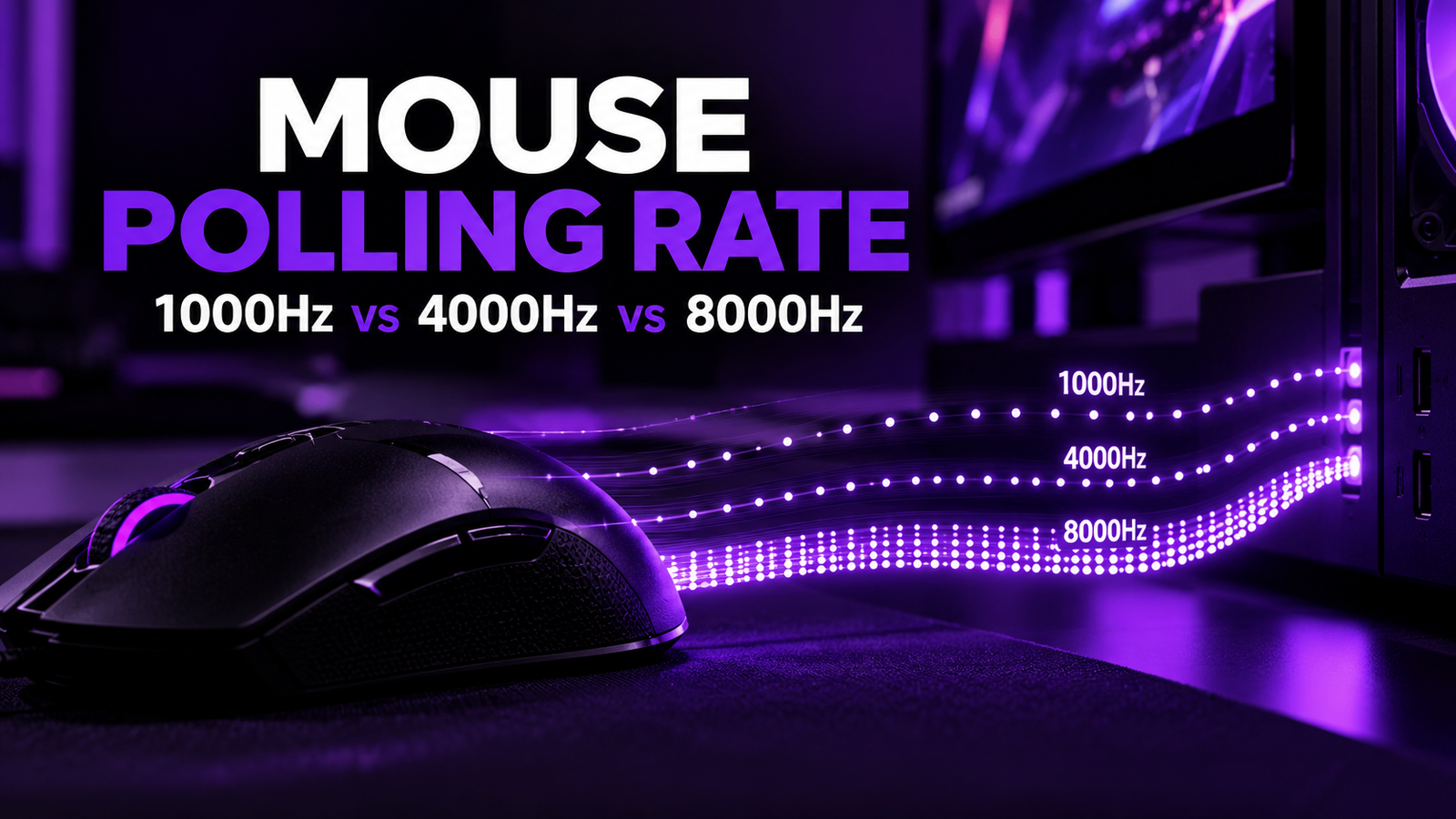
When choosing a gaming mouse, specifications such as sensor, DPI, weight and shape usually get most of the attention.
But another number appears increasingly often on modern gaming mice:
1000Hz. 4000Hz. 8000Hz.
This number refers to the mouse’s polling rate – how frequently the mouse sends updated information to the computer.
A higher polling rate can reduce the time between those updates and make mouse movement appear more responsive, particularly in fast-paced competitive games.
But does jumping from 1000Hz to 8000Hz actually make a noticeable difference?
And is the highest setting always the best one to use?
Not necessarily.
The answer depends on your mouse, PC performance, monitor refresh rate, frame rate and even whether you are using the mouse wired or wirelessly.
ㅤ
What Is Mouse Polling Rate?
Mouse polling rate measures how frequently the mouse reports its position and input data to the computer.
It is measured in Hertz (Hz).
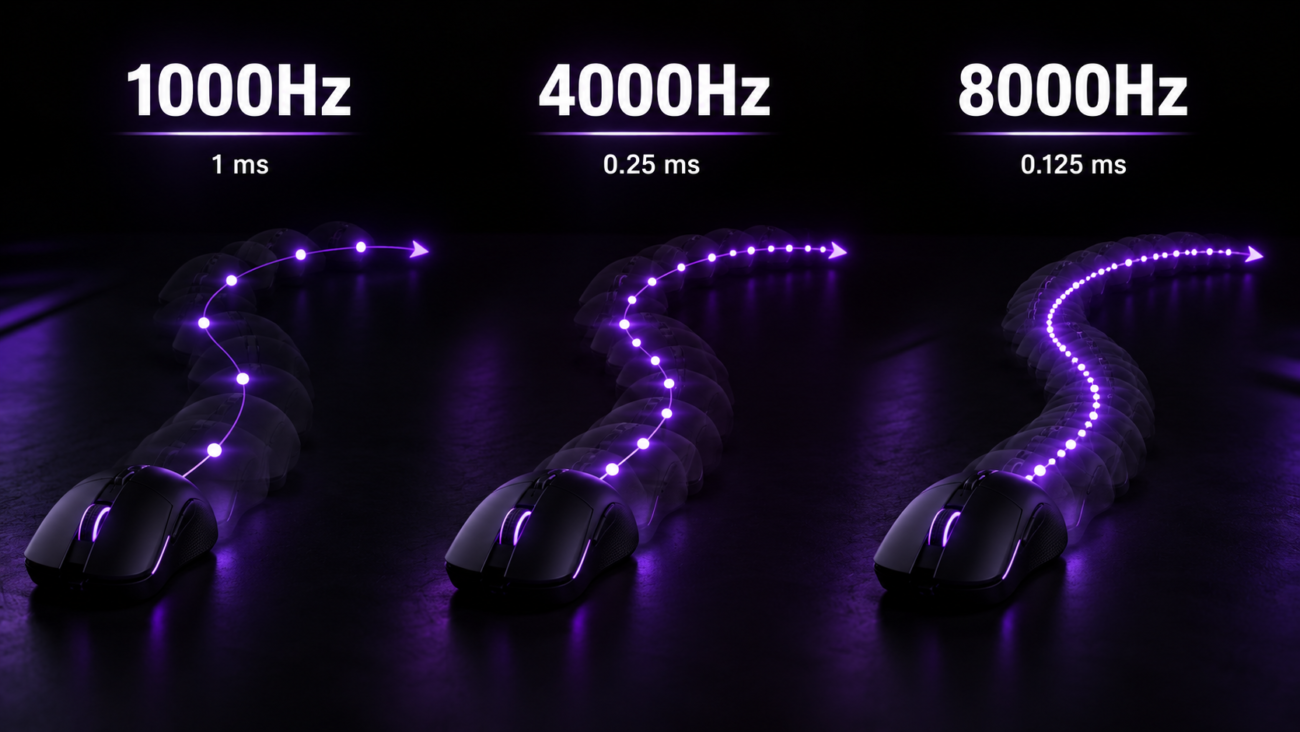
A mouse operating at 1000Hz can report information to the PC up to 1000 times per second.
At 4000Hz, that increases to 4000 reports per second.
At 8000Hz, the mouse can theoretically send up to 8000 reports every second.
As polling rate increases, the interval between individual reports becomes shorter.
ㅤ
Polling Rate vs Report Interval
This does not mean an 8000Hz mouse automatically has only 0.125ms of total input latency.
The number refers specifically to the interval between USB reports. Sensor processing, wireless transmission, the game engine, frame rendering and the monitor all contribute to the final latency you experience.
Good to know:
Going from 1000Hz to 8000Hz reduces the maximum interval between mouse reports from 1ms to 0.125ms. That is not the same as reducing your total system latency by 0.875ms.
Polling Rate vs DPI: What Is the Difference?
Polling rate and DPI are often mentioned together, but they describe two completely different things.
DPI determines how far the cursor moves relative to the physical movement of the mouse.
Polling rate determines how frequently that movement is reported to the computer.
Increasing DPI therefore changes mouse sensitivity unless compensated for in-game.
Increasing polling rate does not directly change sensitivity.
Instead, it allows the computer to receive mouse position updates more frequently.
A gaming mouse can therefore use low or high DPI while running at 1000Hz, 4000Hz or 8000Hz.
1000Hz vs 4000Hz vs 8000Hz
The differences become easier to understand when the main polling rates are compared directly.
1000Hz
1000Hz has been the standard polling rate for gaming mice for years.
With one report every 1ms at most, it already provides very responsive input and remains more than sufficient for the majority of players.
It also places relatively little additional processing demand on the system and generally offers better battery efficiency on wireless mice than extremely high polling rates.
4000Hz
At 4000Hz, the reporting interval drops to approximately 0.25ms.
This produces more frequent position updates and can make fast mouse movement appear slightly smoother, particularly when combined with high frame rates and high-refresh-rate displays.
4000Hz can therefore offer a useful middle ground between responsiveness and system demand.
8000Hz
8000Hz reduces the theoretical maximum report interval further to 0.125ms.
Modern high-performance mice increasingly support 8K polling. For example, current models sold by Gamer Unlocked such as the WLMOUSE Beast G and MCHOSE K7 Ultra S support polling rates of up to 8000Hz.
The difference compared with 1000Hz is real at the USB-reporting level.
Whether you can actually notice that difference is another question.
ㅤ
Does a Higher Polling Rate Reduce Latency?
Yes – but only one part of latency.
When a mouse reports more frequently, the computer has less time to wait for the next available mouse update.
That reduces USB polling delay.
However, gaming latency is a chain.
Your final response time also depends on factors such as:
• sensor processing
• mouse firmware
• wireless transmission
• CPU performance
• game engine
• frame rate
• rendering latency
• monitor refresh rate
This means upgrading from 1000Hz to 8000Hz does not suddenly make an entire gaming setup eight times more responsive.
It improves one specific part of the input pipeline.
ㅤ
Can You Actually Feel 4000Hz or 8000Hz?
Sometimes.
But the difference is much smaller than the jump from very low polling rates such as 125Hz or 500Hz to 1000Hz.
High polling rates are most likely to become noticeable when several conditions are combined:
High frame rates, a high-refresh-rate monitor, fast mouse movements and a competitive game where small latency reductions matter.
At lower frame rates or on a 60Hz display, much of the additional mouse data may provide little visible benefit.
This is why two players can try the same 8000Hz mouse and have completely different opinions about whether the difference is noticeable.
Bottom line:
Higher polling rates can provide more frequent mouse updates, but the benefit becomes increasingly dependent on the rest of your gaming setup.
Does 8000Hz Use More CPU?
It can.
At 8000Hz, the PC may have to process thousands of mouse reports every second.
The additional workload is usually manageable on modern gaming systems, but it can become relevant in CPU-limited situations.
ATK specifically notes that some PCs may not have enough resources to process 8000 reports per second in CPU-bound scenarios.
If enabling 8000Hz causes unusual frame-time behaviour, stuttering or reduced performance in a particular game, dropping to 4000Hz or 2000Hz can be worth testing.
The highest number is not useful if it makes the overall system less consistent.
ㅤ
Does Higher Polling Rate Affect Battery Life?
On a wireless gaming mouse, generally yes.
Sending and processing mouse data more frequently requires additional power.
That means running continuously at 4000Hz or 8000Hz can consume battery faster than using 1000Hz.
Current 8K mice can therefore allow users to switch between several polling-rate settings rather than forcing the maximum rate at all times. Gamer Unlocked’s WLMOUSE Beast G, for example, supports selectable rates between 125Hz and 8000Hz and explicitly notes the increased battery draw at 8K.
For everyday browsing or less demanding games, using 1000Hz may therefore make more sense even if the mouse supports 8000Hz.
ㅤ
Does Polling Rate Affect Aim?
Polling rate does not directly make your aim better.
It does not change your mechanical skill, mouse control or muscle memory.
What it can change is the frequency and consistency of the information reaching the game.
At sufficiently high frame rates and refresh rates, a higher polling rate can make cursor or crosshair movement appear more continuously updated.
For competitive players who are already optimising the rest of their setup, that small improvement can be valuable.
For many casual players, the difference between 1000Hz and 8000Hz will be much less important than factors such as mouse shape, weight, sensor quality and a comfortable sensitivity.
ㅤ
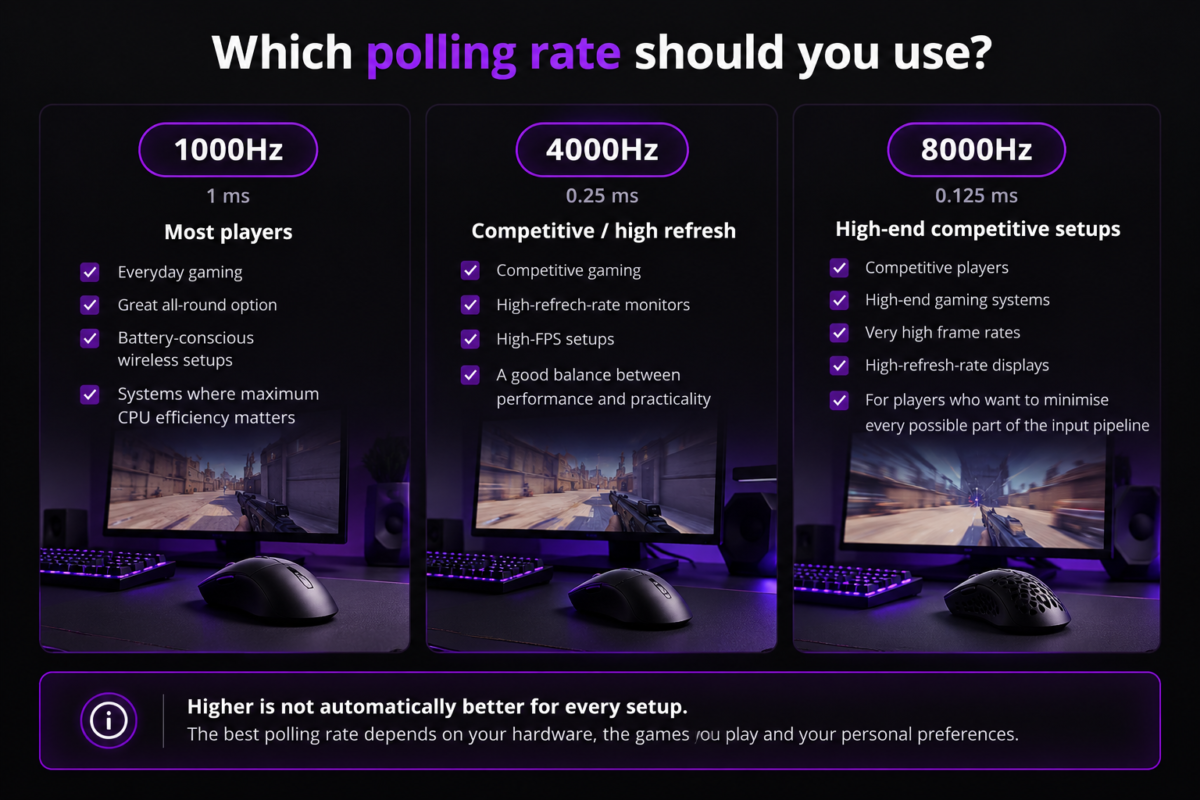
What Polling Rate Should You Use?
There is no single setting that everyone needs.
1000Hz
Best for:
• Most players
• Everyday gaming
• Battery-conscious wireless setups
• Systems where maximum CPU efficiency matters
1000Hz remains an excellent default and should not be considered “slow”.
2000Hz or 4000Hz
Best for:
• Competitive gaming
• High-refresh-rate monitors
• High-FPS setups
• Players who want some of the benefits of higher polling without immediately jumping to 8K
4000Hz can be a particularly practical middle ground.
8000Hz
Best for:
• Competitive players
• High-end gaming systems
• Very high frame rates
• High-refresh-rate displays
• Players who want to minimise every possible part of the input pipeline
If your mouse supports it, there is no harm in testing 8000Hz – but compare it with 4000Hz and 1000Hz rather than assuming the maximum value automatically provides the best experience.
ㅤ
Good to know:
Higher is not automatically better for every setup.
Do You Need an 8000Hz Gaming Mouse?
Probably not.
But “need” and “benefit from” are different questions.
A good 1000Hz gaming mouse is already capable of excellent competitive performance.
8000Hz becomes more relevant when the rest of the setup is already fast enough for increasingly small latency improvements to matter.
That is why high-polling-rate technology is mostly found on performance-focused gaming mice.
For example, the WLMOUSE Huan, WLMOUSE Beast G and WLMOUSE Beast X Max currently support polling rates up to 8000Hz in the Gamer Unlocked range.
Meanwhile, models such as the VGN Dragonfly F1 Pro offer 1000Hz by default with compatibility for higher polling through the appropriate receiver, illustrating how manufacturers increasingly give users several performance options.
ㅤ
How to Choose the Right Polling Rate
Think about the complete setup rather than one specification.
A few questions can help:
What refresh rate is your monitor?
Higher refresh rates make frequent input updates more useful.
Can your PC maintain high and stable frame rates?
Consistent frame delivery matters more than chasing one specification.
Are you playing competitively?
Small latency reductions matter more in fast competitive games than in slower or casual titles.
Are you using a wireless mouse?
Higher polling can reduce battery life.
Does the game behave properly at high polling rates?
If you experience stuttering or inconsistent performance, test a lower setting.
Tip:
Start at 1000Hz and test higher settings using the games you actually play. If 4000Hz or 8000Hz feels smoother without affecting performance or battery life more than you are comfortable with, keep it enabled.
Final Thoughts
Mouse polling rate determines how frequently your mouse sends updated input information to the computer.
Moving from 1000Hz to 4000Hz or 8000Hz reduces the interval between those reports, creating the potential for smoother and more responsive input.
But polling rate is only one part of the latency chain.
Your CPU, frame rate, monitor, mouse hardware and game all influence the final experience.
For most players, 1000Hz remains an excellent option.
For competitive setups with high frame rates and high-refresh-rate displays, 4000Hz can provide a useful middle ground, while 8000Hz is aimed at players who want to minimise every possible source of delay.
The best polling rate is therefore not necessarily the highest number your mouse supports.
It is the highest setting that works consistently and efficiently within your complete setup.
Find the right mouse for your setup.
From 1000Hz to 8000Hz, choose a gaming mouse that matches the performance level of your setup.

Related Posts
Mouse Polling Rate Explained: 1000Hz vs 4000Hz vs 8000Hz
Posted by
When choosing a gaming mouse, specifications such as sensor, DPI, weight and shape usually get most of the attention. But another number appears increasingly often on modern gaming mice: 1000Hz.…
CONTINUE READING