
Posted by
Blog
Mouse Skates Explained: PTFE vs Glass vs Dot Skates

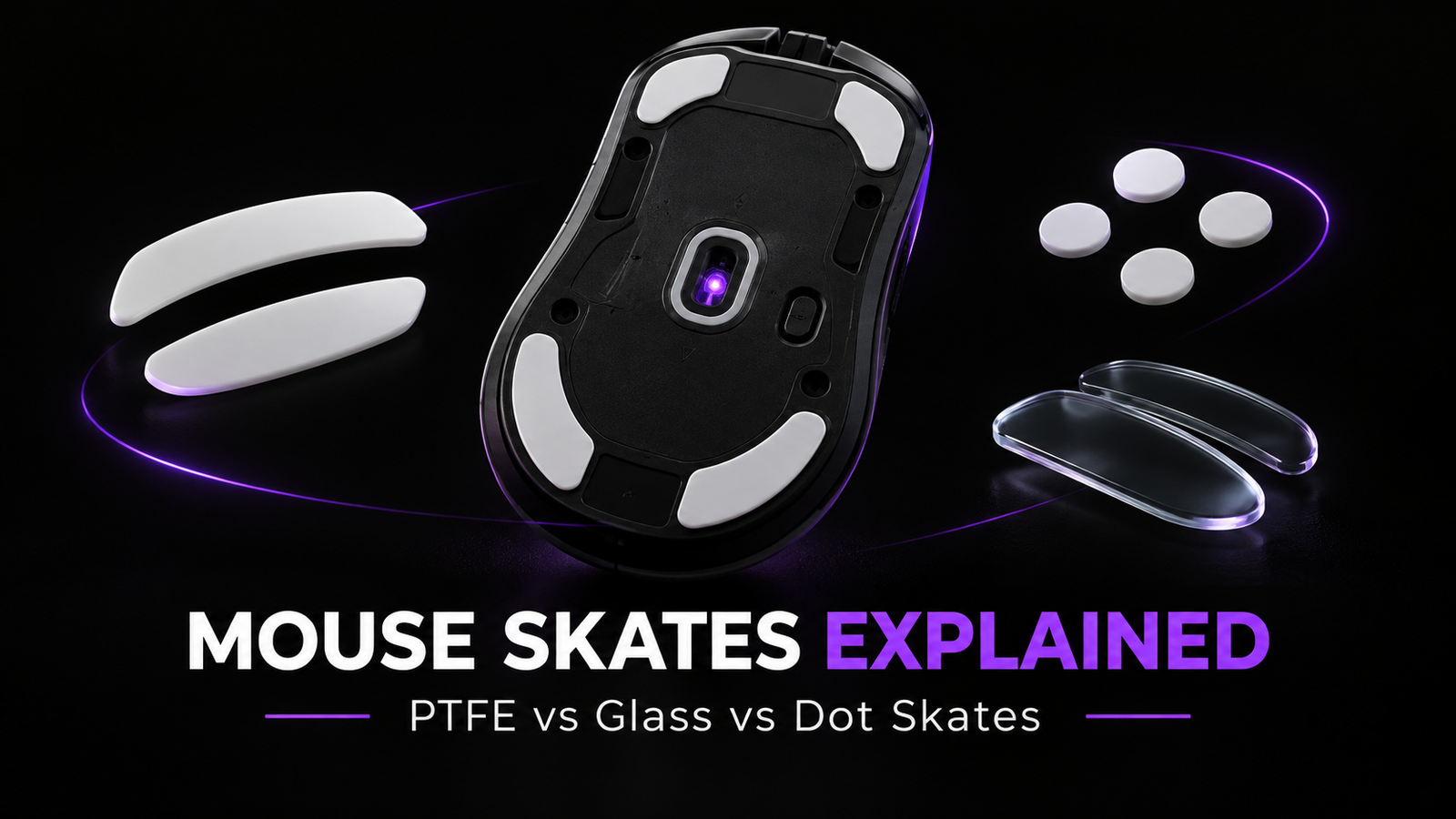
When upgrading a gaming setup, most players think about the mouse, sensor, polling rate or mousepad first.
But there is another part of the setup that directly affects how your mouse moves across the surface: mouse skates.
Also known as mouse feet, these small pieces underneath your mouse determine how much friction exists between the mouse and the mousepad. Changing them can make the same mouse feel faster, smoother, more controlled or simply more consistent.
And just like mousepads, not all skates feel the same.
PTFE, glass, full-size feet and dots can all change the way your mouse moves – but the right choice depends heavily on the surface underneath them.
What Are Mouse Skates?
Mouse skates are the low-friction pads located on the bottom of a mouse.
Their job is simple: reduce direct contact between the mouse shell and the mousepad so the mouse can move smoothly across the surface.
Most gaming mice already include skates from the factory, but aftermarket options can significantly change the glide.
Higher-quality skates can reduce friction and the initial resistance you feel when starting a movement, affecting everything from small micro-adjustments to large flicks.
The skate material is important – but it is only one part of the equation.
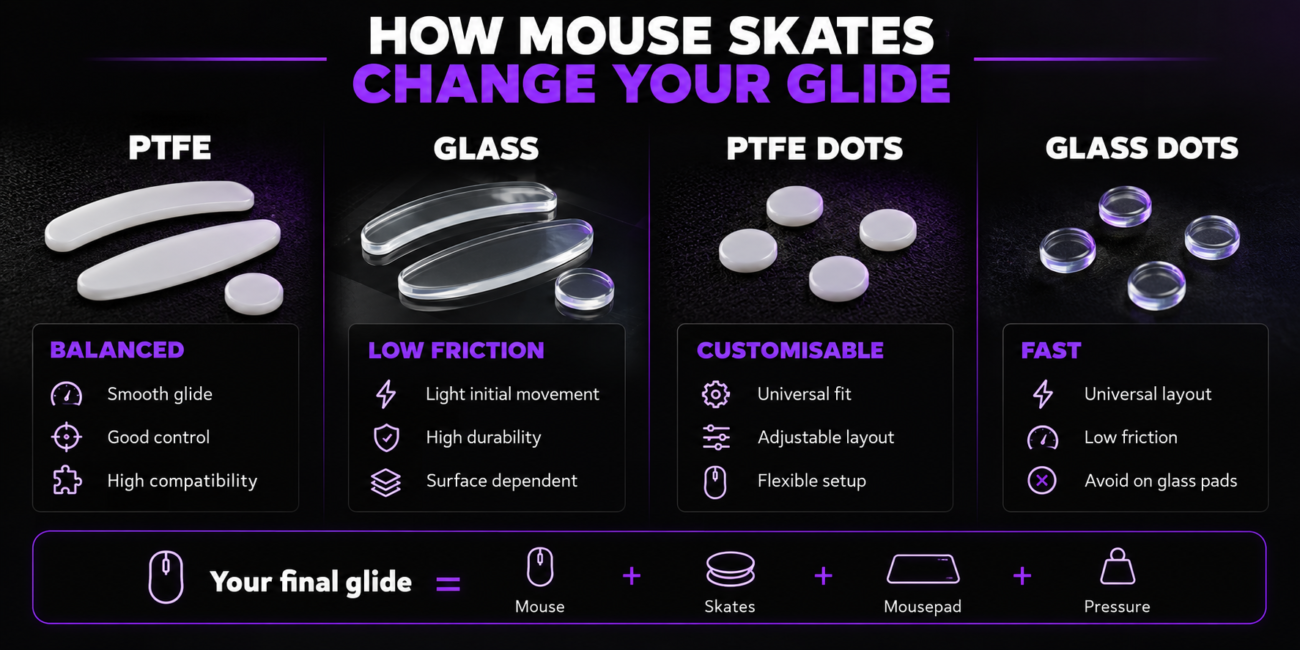
Your final glide is always the result of a combination:
Mouse + Skates + Mousepad + Applied Pressure
Change one of those elements and the mouse can feel completely different.
ㅤ
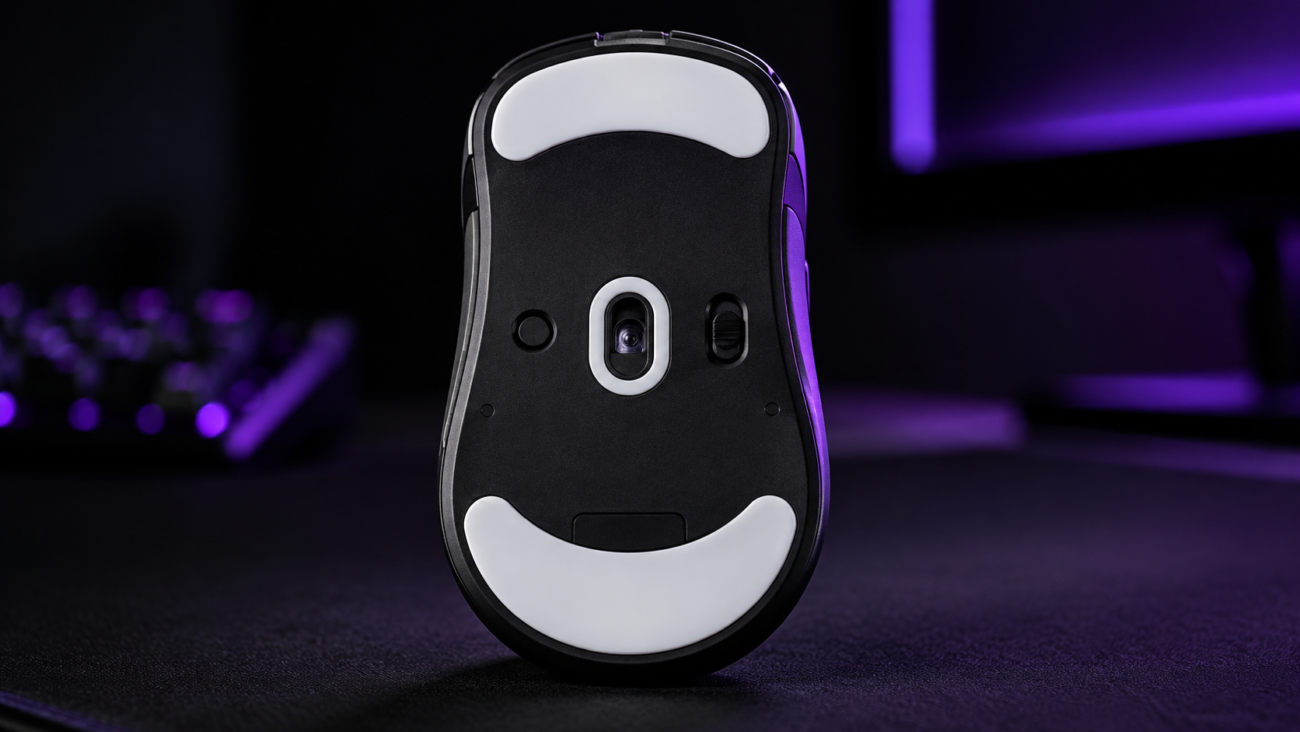
Why Mouse Skates Affect Your Aim
When we talk about mouse glide, there are two sensations that matter most: how easily the mouse starts moving and how easily it keeps moving.
A faster setup requires less force to move the mouse. This can make tracking and rapid adjustments feel effortless.
A more controlled setup creates more resistance, which can make stopping the mouse precisely easier.
Neither is automatically better.
A player using low sensitivity in a fast-paced tracking game may prefer a very free glide, while someone playing tactical FPS titles may prefer additional stopping power.
This is why replacing mouse skates should not simply be about choosing the fastest option.
The goal is to find the right balance between speed, control and consistency.
Good to know:
A fast mousepad combined with fast skates can feel dramatically different from those same skates on a control-oriented cloth pad.
PTFE Mouse Skates
PTFE – polytetrafluoroethylene – is one of the most common materials used for gaming mouse skates.
There is a good reason for that.
PTFE naturally has low-friction properties, allowing the mouse to move smoothly without completely removing the feeling of the mousepad underneath it.
How do PTFE skates feel?
PTFE usually offers a balanced experience.
You get enough speed for smooth tracking and micro-adjustments while retaining enough friction to stop the mouse accurately.
However, not every PTFE skate feels identical.
Thickness, edge rounding, surface finish, formulation and the size of the skate can all influence the final result.
This is why two sets of PTFE feet can feel noticeably different even though they use the same base material.
Best with
PTFE is extremely versatile and is widely used across cloth, hybrid and glass mousepad setups, although the final result depends on the specific skate compound and surface.
ㅤ
Tip:
If you like the characteristics of your current mousepad but simply want a smoother and more consistent version of the same experience, PTFE is usually a good place to start.
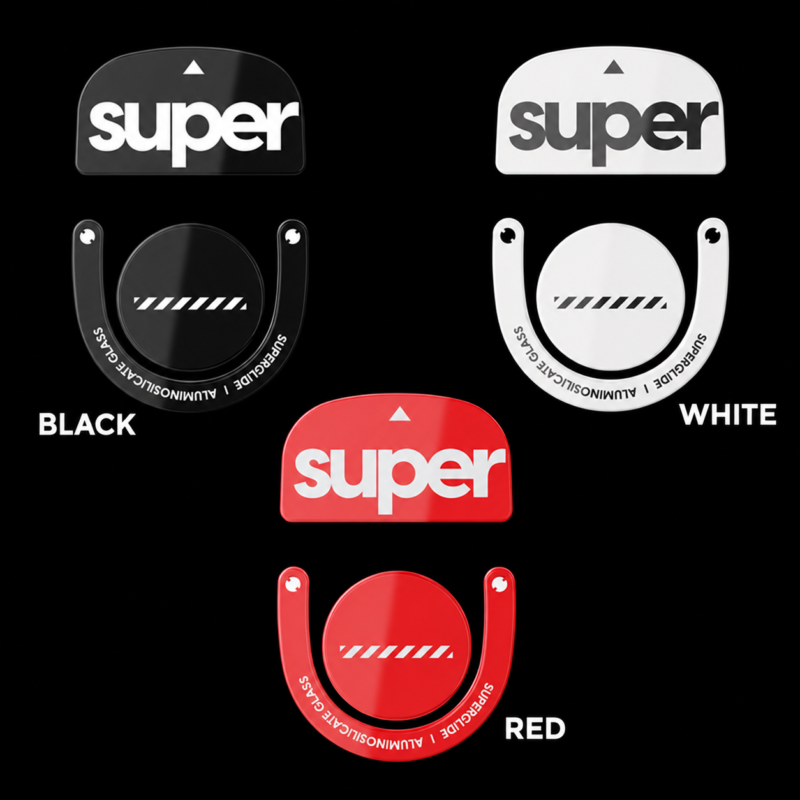
Glass Mouse Skates
Glass skates take a different approach.
Instead of a polymer such as PTFE, they use a hard glass surface designed to create a very smooth, low-friction glide.
Compared with conventional PTFE feet, glass skates can create a much more noticeable change in the way a mouse feels.
How do glass skates feel?
Initial movement can feel extremely light.
That can make fast flicks, tracking and micro-adjustments easier to initiate, particularly for players who prefer very little resistance from their mouse.
Glass is also highly resistant to wear, although the exact glide and long-term feel can vary depending on the skate construction and surface treatment.
Different textures and finishes can also produce different levels of speed and stopping power, meaning not every glass skate behaves in exactly the same way.
The major compatibility warning
Glass mouse skates should generally not be used on glass mousepads unless the manufacturer explicitly states that the combination is supported.
Glass skates are primarily associated with compatible cloth and hybrid surfaces.
ㅤ
Bottom line:
Glass skates can dramatically reduce the feeling of friction, but they are a more specialised choice than PTFE. Always consider the mousepad underneath them before making the switch.
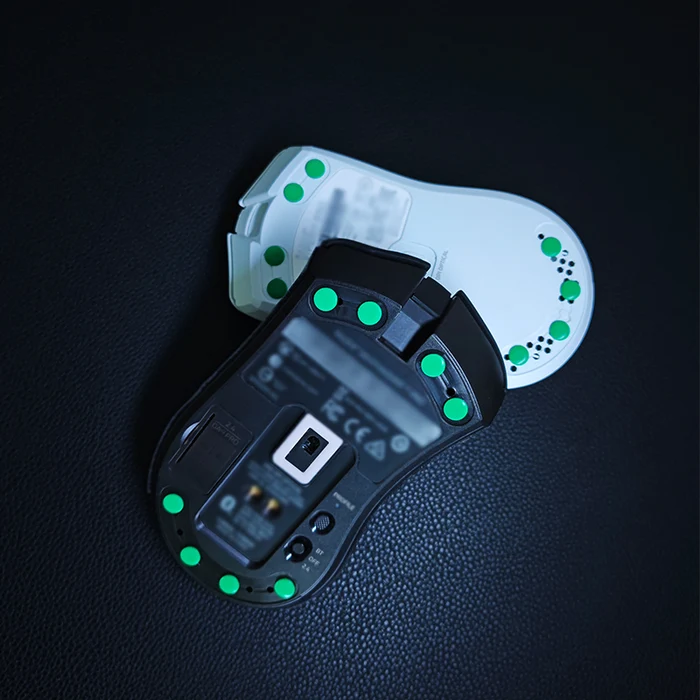
What Are Dot Skates?
This is where things can get confusing.
Dot skates are not a separate material.
“Dot” simply describes the shape of the skate.
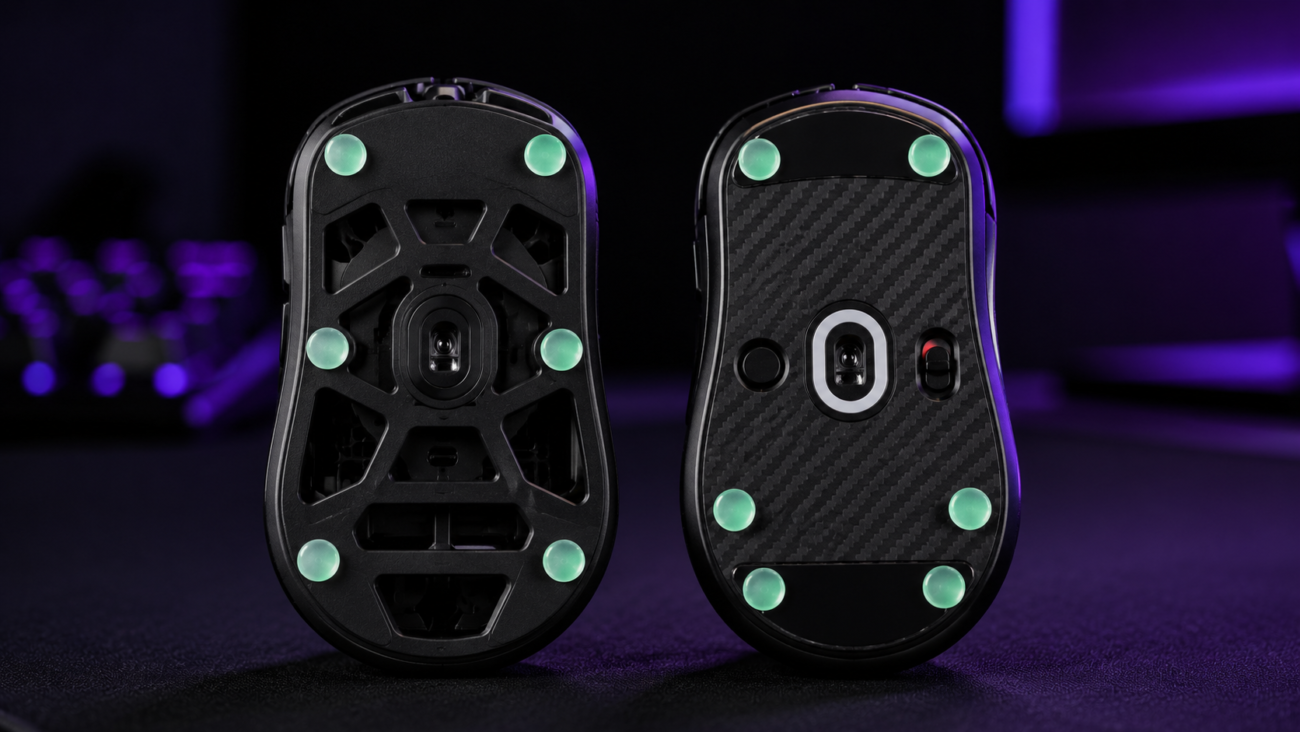
Instead of replacing the original feet with one large piece shaped specifically for a mouse model, dot skates use several small circular feet positioned around the underside of the mouse.
Those dots can be made from PTFE, glass or other materials.
This makes dot skates very different from traditional model-specific replacement feet.
ㅤ
Why Use Dot Skates?
Their biggest advantage is flexibility.
Traditional replacement skates normally need to match the exact shape of a specific mouse.
Universal mouse skates, such as dot skates, can be positioned across the underside of many different mice, making them useful for unusual models or players who regularly switch between different mice.
They also allow you to customise how the mouse is supported against the mousepad.
Changing the number and placement of the dots can influence stability, pressure distribution and the overall feel of the glide.
However, fewer dots are not automatically better.
You still need enough support to prevent the mouse from rocking or applying uneven pressure to the surface.
Tip:
Start with a symmetrical dot layout around the corners and main pressure points of the mouse. You can fine-tune the setup afterwards instead of immediately using the smallest possible number of dots.
What About Donut Skates?
Dots are not the only universal skate format available.
Donut skates follow a similar customisable approach but use a ring-shaped design with an open centre, creating a different contact profile between the mouse and the mousepad.
One example is the X-Raypad Obsidian Pro Air Universal Donuts, designed for a more controlled glide and compatible with both cloth and glass mousepads.
Full-Size Skates vs Dot Skates
Bottom line:
Neither design is automatically faster. The material, mousepad, skate size, placement and mouse weight all contribute to the final feel.
PTFE vs Glass vs Dot Skates
Good to know:
Dot skates are a format, not a material. Their final feel depends on what they are made from, how many you use and how they are positioned.
How Do Mousepads Change the Result?
Mouse skates should never be chosen in isolation.
Just like the difference between glass and cloth mousepads, the surface underneath your mouse can completely change the amount of speed, feedback and stopping power you feel.
The same set of skates may feel controlled on one surface and significantly faster on another.
ㅤ
Cloth Mousepads
Cloth mousepads generally offer more friction and stopping power than harder surfaces.
PTFE is a natural pairing because it allows the mouse to glide smoothly while preserving much of the surface feedback.
Compatible glass skates can also be used when a player wants to reduce friction further, although the result will depend heavily on the cloth surface itself.
ㅤ
Hybrid Mousepads
Hybrid surfaces sit somewhere between traditional cloth and harder, faster surfaces.
They often pair well with PTFE and may also work with glass skates, depending on the construction and texture of the mousepad.
Because many hybrid pads already offer relatively quick movement, combining them with very low-friction skates can result in an especially fast setup.
ㅤ
Glass Mousepads
Glass mousepads are different.
Their hard surface already provides a fast and highly consistent glide, making skate compatibility particularly important.
PTFE, UHMWPE and other specialised skates designed for hard surfaces are commonly used with glass pads.
Glass-on-glass combinations should be avoided unless the skate manufacturer explicitly states otherwise.
ㅤ

Mousepad and Skate Compatibility
Good to know:
Your mousepad and skates work as a system. A fast skate does not create exactly the same feeling on cloth, hybrid and glass surfaces.
Which Mouse Skates Should You Choose?
There is no universal best mouse skate.
If you want a balanced and predictable upgrade, quality PTFE is usually one of the easiest places to start.
If you want to reduce friction significantly and prioritise effortless movement, glass skates may make sense on a compatible cloth or hybrid mousepad.
If you want maximum flexibility, especially if you switch between different mice, universal dots give you much more freedom to experiment with placement and contact layout.
And if you are using a glass mousepad, look for PTFE, UHMWPE or other skates specifically designed for hard surfaces rather than simply choosing the fastest option available.
Your skates should complement the mousepad rather than fight against it.
Bottom line:
Choose your skates based on the complete setup – not just the material. Your mousepad, preferred speed, stopping power and play style all influence which option will feel best.
Don’t Forget Skate Thickness
Material and shape are not the only factors that matter.
Mouse skate thickness can also affect the setup.
Replacement skates should normally be installed after completely removing the original feet and adhesive rather than stacking the new skates on top.
Installing noticeably thicker feet changes the distance between the mouse sensor and the surface and may affect lift-off distance or tracking behaviour on some mice.
Make sure the new skates sit completely flat and do not overlap raised plastic edges, screws or sensor areas.
Tip:
Never install replacement skates on top of the original mouse feet. Remove the old skates and adhesive residue first so the new feet sit flat against the mouse.
Do Mouse Skates Need a Break-In Period?
Sometimes.
Fresh mouse feet can change slightly during their first hours of use as the contact surface settles and begins interacting consistently with the mousepad.
The difference may be subtle, but it is worth spending some time with new skates before deciding whether they feel too fast or too controlled.
Mousepad condition also matters.
Dust, skin oils and debris can change friction – particularly on hard surfaces – so keeping both the mousepad and mouse feet clean is important for maintaining a consistent glide.
Good to know:
Give new skates some time before judging them. A short break-in period can slightly change the feel of the glide as the contact surface settles.
Final Thoughts
Mouse skates might be one of the smallest parts of a gaming setup, but they can completely change how a mouse feels.
PTFE remains one of the most versatile options, combining smooth movement with broad mousepad compatibility.
Glass skates push further towards a low-friction and responsive glide, but require more attention to surface compatibility.
Dot skates add another layer of customisation by allowing players to adjust their layout across a wide range of mouse models.
And universal formats such as donut skates show that the category goes beyond the traditional PTFE-vs-glass comparison.
The best setup is not simply the fastest one.
It is the combination that gives you the right balance of speed, stopping power and consistency for the way you aim.
Fine-tune your glide.
From replacement mouse skates to the surface underneath them, small changes can completely transform how your mouse feels.
Explore Mouse Accessories → |
Explore Mousepads → |

Related Posts
Mouse Skates Explained: PTFE vs Glass vs Dot Skates
Posted by
When upgrading a gaming setup, most players think about the mouse, sensor, polling rate or mousepad first. But there is another part of the setup that directly affects how your…
CONTINUE READING